



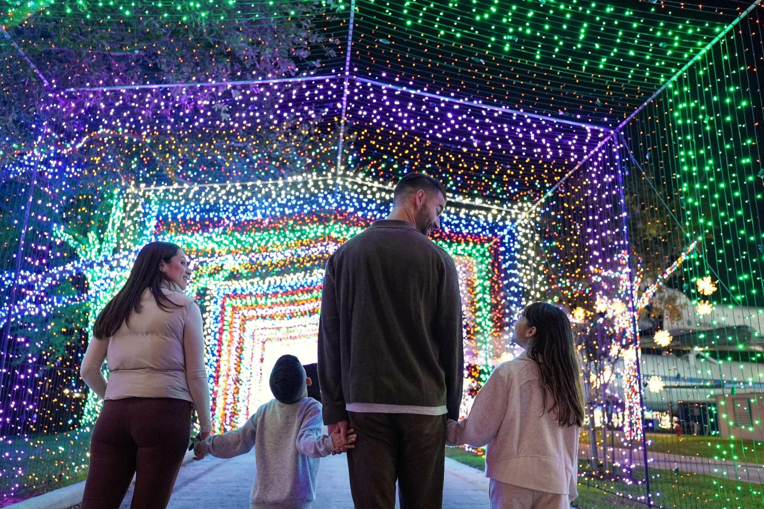
If you’re building a plan for November events around Houston, this guide covers verified 2026 dates and registration rules for family outings from Pasadena to Clear Lake, plus a few practical tips. A little planning goes a long way, especially for events that need reservations or timed tickets. November Events Houston TX: What to Know Before You Go Dates can change, and some outings need advance registration or timed tickets. A free event still costs something once parking and food are factored in. Always confirm details with the organizer before you leave home. November at a glance Nov 1–2: Día de los Muertos celebration, Houston Zoo (included with general admission) Nov 3: Free Zoo Day, Houston Zoo Nov 5: Taste of the Town, Pasadena Convention Center & Fairgrounds Nov 7-8: Veterans Day Family Overnight, Space Center Houston Nov 14: Galaxy Lights begins, Space Center Houston Nov 18: Pasadena Food Drive, Campbell Hall, 7601 Red Bluff Rd Nov 19: Zoo Lights begins, Houston Zoo Día de los Muertos at the Houston Zoo (November 1–2) The month opens with the Houston Zoo’s Día de los Muertos celebration on Sunday, Nov 1, from 9 a.m. to 9 p.m., and Monday, Nov 2, from 9 a.m. to 5 p.m. Families can stroll past glowing decorations and festive photo spots, and at the center of the celebration is a traditional ofrenda (altar) honoring animals who are no longer with us. Bring a photo of a beloved pet to add to the altar or take home, or stop by the craft station, where kids and adults can draw their favorite animal to include. La Catrina, one of the best-known symbols of Día de los Muertos, will be at the zoo on Sunday from 9 a.m. to 5 p.m. The celebration is included with general admission and is free for members. It’s a separate visit from Free Zoo Day on Nov 3, so buy a regular ticket for these dates. Seasonal treats include tamales from a featured food truck and hand-decorated sugar skull cookies. The same Hermann Park parking and METRORail tips below apply. Free Zoo Day at the Houston Zoo on November 3 The Houston Zoo offers Free Zoo Day on the first Tuesday of the month, so Tuesday, Nov 3 fits the whole family. Hours are 9:00 a.m. to 5:00 p.m., with last entry at 4:00 p.m. The zoo is at 6200 Hermann Park Drive, Houston, TX 77030. Non-member guests need online reservations. Gate sales aren't offered, and demand means free-day tickets aren't guaranteed. November and December reservations open Oct 28 at 7:00 p.m. Free admission excludes Zoo Lights, carousel rides, giraffe feedings, other attractions, and concessions. You can bring outside food and drinks, but no glass containers or straws. Free water-bottle refill stations are available. Our tip: the zoo has no lot of its own. Free Hermann Park parking can fill quickly, with Lots G, F, E, H, and I closest, about a 5-10-minute walk. You can also take the METRORail Red Line to the Memorial Hermann Hospital/Houston Zoo stop, then walk about 10 minutes through The Commons. Veterans Day Family Overnight at Space Center Houston, November 7-8 The Family Overnight at Space Center Houston runs Saturday, Nov 7 to Sunday, Nov 8. It suits families with kids who are at least five, since campers must meet that minimum age. Families must register at least four weeks ahead, which put this overnight’s registration deadline at Oct 10. If you missed it, contact Space Center Houston about remaining spots, or plan ahead for the Galaxy Lights Family Overnight on Saturday, Dec 19. The overnight takes place at Space Center Houston, 1601 E. NASA Parkway, Houston, TX 77058. The program includes: A welcome briefing. Hands-on STEM activities, including rocket building, robotics, coding, and astronaut training. A Starship Gallery tour. Dinner and breakfast. A second-day visit to Space Center Houston. Families can camp outdoors beneath a twice-flown Falcon 9 rocket, or at Independence Plaza beneath NASA 905 and the shuttle replica Independence. Outdoor campsites are 10 by 10 feet. Indoor campsites require a sleeping bag and pillow. Space Center Houston Galaxy Lights Begins November 14 Space Center Houston’s eighth annual Galaxy Lights is a space-themed light show featuring a 200-foot LED tunnel and a new galactic snow slide. It’s an easy early holiday outing for families, and it opens Nov 14. Tickets, Dates and Hours Galaxy Lights runs on select dates from Nov 14 through Jan 3, 2027, at Space Center Houston, 1601 E. NASA Parkway. It’s closed Thanksgiving Day, so check the official calendar for open dates. Hours are 6 to 10 p.m., with last admittance at 9 p.m. Plan on about 90 minutes. Tickets range from $19.95 to $27.95 for guests over age 3, depending on the date, and children 3 and younger are free. Buy online in advance, since some dates have already sold out. Admission includes Space Center Houston exhibitions, but NASA Tram Tours and the Starship Gallery are closed during the event. Most of the show is outdoors, so dress for the weather. Status is posted at 4:00 p.m. daily. After a severe-weather closure, tickets can be redeemed on another Galaxy Lights night through Jan 3, 2027. Parking and Family Planning Tips Bags are screened. Small bags and large diaper bags are allowed. Oversized backpacks and large duffels are not, nor are suitcases or large quantities of food and coolers, though exceptions exist for dietary or medical needs. Guests can pay for Space Center Houston parking by phone by scanning the QR codes posted around the lot. Space Center Houston has an electric car charging station that guests with electric vehicles may use after purchasing parking. Check your forecast and the 4:00 p.m. status update before you head out. More Verified Pasadena TX November Events For Pasadena TX November events, the Pasadena Convention Center and Fairgrounds campus hosts two community events. Both are separate from the Greater Houston outings, so you can plan them as local trips. Pasadena Community and Municipal Events Taste of the Town is hosted by the Pasadena Chamber of Commerce on Thursday, Nov 5, from 5:00 to 9:00 p.m. at 7902 Fairmont Pkwy., Pasadena, TX 77505. The "Passport to Flavor" theme brings local restaurants, live entertainment, a live auction, and shopping vendors. Tickets are $30 for adults, $20 for children and $50 for VIP, which includes early entry at 4 p.m. It's busiest from 5:00 to 6:30 p.m., so arrive later if you prefer smaller crowds. Leave strollers, wagons, food storage containers, and Ziploc bags at home. General admission guests are encouraged to access parking via the Luella Boulevard entrance, while VIP guests should use the main Convention Center entrance. The City of Pasadena’s annual Food Drive is Wednesday, Nov 18, at Campbell Hall, 7601 Red Bluff Rd., on the Convention Center and Fairgrounds campus. It collects nonperishable food and monetary donations to restock local food pantries, and everything donated stays in Pasadena. Check the City’s Pasadena Food Drive page for drop-off hours and current contact information. Greater Houston Family Events and Early Holiday Activities Zoo Lights at the Houston Zoo runs Nov 19, 2026 to Jan 3, 2027, from 5:30 to 10:30 p.m., with last entry at 9:30 p.m. Member Preview Nights are Nov 17 and 18. Tickets went on sale Oct 15 and are sold online by date, so book ahead for popular nights. For grown-ups, the zoo also hosts its Zoo Ball gala on Saturday, Nov 7, from 6 p.m. to midnight, and Wine Fest at Zoo Lights on Friday, Nov 20, from 5:30 to 10 p.m. Expect light paths, animal-themed displays and snow falling every night at Frosted Forest. This year, for the first time ever, Zoo Lights will also open on Christmas Day. Animals are best seen during the day. It runs rain or shine, and tickets can’t be refunded or transferred. Children age two and younger are free. Sensory Inclusive Night is Monday, Nov 30, with lowered music volume and limited flashing lights. Quiet spaces are set aside too. Use the main entrance, because the Medical Center entrance will not be open. Planning Your November Outings Around Houston When searching for things to do Houston November 2026 has to offer, plan each day around the location and your kids' needs, with the length of the outing in mind too. Add up the full cost, including parking and meals. Keep your reservation details handy on your phone. Registration, Crowds and Schedule Changes A free event can still require a reservation, as Free Zoo Day does. Confirm your session, and recheck official announcements shortly before you leave, especially for outdoor events. Arrive early for the Zoo, and later for Taste of the Town if you'd like to miss the 5:00-6:30 p.m. rush. Houston's November weather varies, so pack layers. Bring refillable water bottles where allowed, like the Zoo. Taste of the Town bans strollers, while the Zoo and Zoo Lights offer rentals. Try Sensory Inclusive Night if your child does better with fewer lights and lower sound. For the overnight, remember the basics: minimum camper age of five, required registration, and a sleeping bag and pillow for indoor camping. Getting There Comfortably With Your Family Start with the exact venue address and entrance, then allow extra time for traffic, parking, and the walk in. Plan for the drive home too, since many of these outings end after dark. If you’re bringing cousins or friends, a third row and extra rear-seat room make the trip easier. Check that car seats fit before you leave, and save cargo room for strollers, coolers and diaper bags. Fill up or charge beforehand, and note that Space Center Houston has an EV charging station for guests who purchase parking. Before a full weekend of outings, a quick pre-trip check helps, especially with Houston’s warm November afternoons and cooler nights. Our service center can look over your tires, brakes, battery and A/C so your family is ready for the drive to Clear Lake or the Museum District. Stop by Monument Chevrolet in Pasadena anytime you’re nearby. Enjoy November in Pasadena With Monument Chevrolet From Free Zoo Day to the first night of Galaxy Lights, we hope your family finds plenty to enjoy around Houston this November. If you’re out on Pasadena Freeway, stop by Monument Chevrolet at 3940 Pasadena Fwy. and say hello, or contact us with any questions.
Chevrolet Silverado Trailering Technology: Hitch Guidance, Camera Views and Tow/Haul Mode
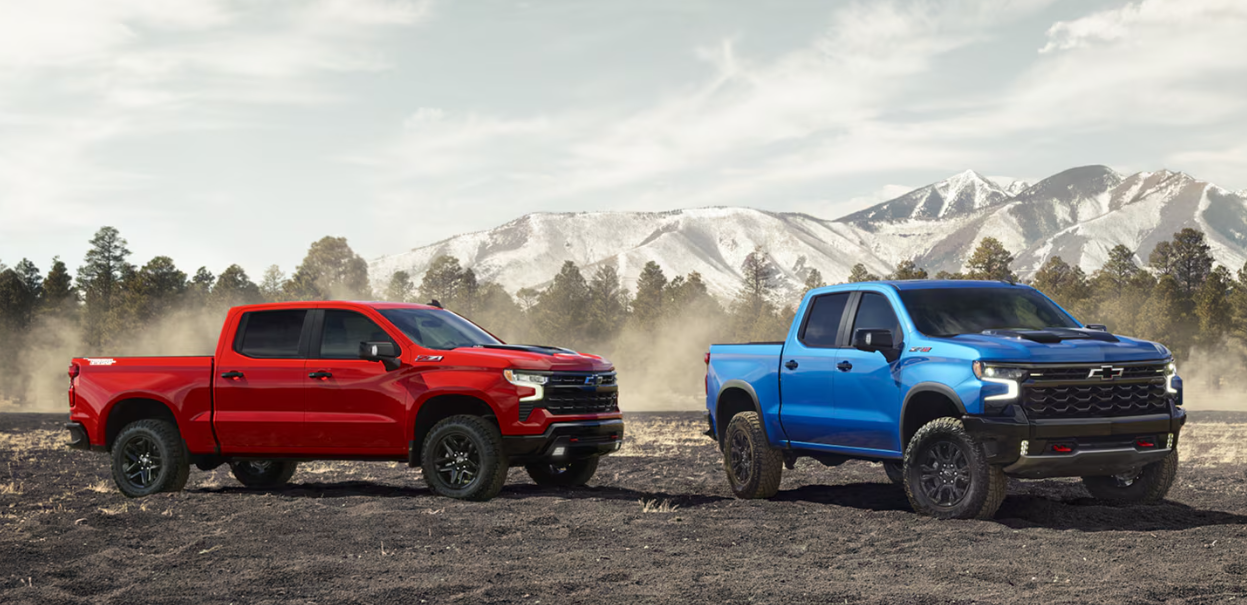
Picture backing a travel trailer into a tight driveway, with a neighbor's mailbox on one side and a fence on the other. That's where Chevrolet Silverado trailering technology earns its keep. Cameras, guidelines and a trailer app help you see and prepare, but you still drive. Whether you're shopping our new inventory or already own a Silverado, here's what each tool does and where availability changes. Chevrolet Silverado Trailering Technology: What's Available and Why It Varies 2026 Chevrolet Silverado towing tech supports each stage of a trip: preparing the trailer, lining up the hitch, checking connections, and staying aware on the road. These are separate tools, each with its own job. They assist the driver. They can't raise weight ratings or make an unsuitable setup suitable. Availability depends on model year, trim, installed equipment and package, and some camera views need an accessory camera, so check a specific truck's equipment list and Owner's Manual. Feature Availability by Trim, Equipment, Model Year and Package The table below covers 2026 models unless noted. Feature What It Does Availability Notes Best For Hitch Guidance Overlays a dynamic guideline on the Rear Vision Camera image in Reverse Standard on 2026 Silverado HD and available on 2026 Silverado 1500. Paired with Hitch View on the 2027 Silverado 1500 Custom. Lining up the ball and coupler Hitch View Zoomed close-up of the hitch ball and coupler Where equipped. Paired with Hitch Guidance on the 2027 Silverado 1500 Custom. Final alignment near the coupler Transparent Trailer View Combines the truck's rear camera with a trailer camera so the view appears to show through the trailer Requires an accessory trailer camera. Silverado 1500: standard on ZR2, LTZ and High Country; available on LT, RST and LT Trail Boss with the Safety Package. 2500 HD: standard on ZR2 and High Country; available on LT and LTZ. 3500 HD: standard on High Country; available on LT and LTZ. Seeing behind a box-type trailer HD Surround View Top-down view of the truck's surroundings Varies by equipment and trim Tight parking and maneuvering Trailer Side Blind Zone Alert Lights an amber mirror icon when a moving vehicle is in a blind zone extended to the trailer's length Available on Silverado 1500, 2500 HD and 3500 HD, depending on equipment Highway lane changes Tow/Haul Mode Changes the transmission's shift schedule while towing, with Grade Braking Standard on Silverado 1500 and Silverado HD Hills, loads and highway towing In-Vehicle Trailering App Trailer profiles, checklists, light tests and more Functions vary by equipment Organizing trailer prep Silverado Hitch Guidance and Hitch View: Line Up Your Trailer With Confidence Silverado Hitch Guidance and Hitch View help you line up the truck with the trailer, and you still have to connect the trailer yourself. Picture a boat trailer waiting at a Clear Lake ramp lot with people watching. A steady, slow approach beats a rushed one. How Hitch Guidance Works Hitch Guidance overlays a dynamic guideline on the Rear Vision Camera image in Reverse. When you select it on the infotainment screen, the usual backing guidelines give way to a single line that bends as the truck turns. Hitch View, where equipped, zooms in on the ball and coupler, and its icon shows a trailer hitch with a magnifying glass on top. Using Hitch View Step by Step Each step applies if equipped: Shift to Reverse and select Hitch Guidance. Back slowly, keeping the line over the ball and centered on the coupler. Near the coupler, select Hitch View. With the ball under the coupler, shift to Park and apply the parking brake. On some vehicles, shifting to Park in Hitch View applies the Electric Parking Brake automatically. Check the hitch connection with the camera while driving forward, though some vehicles show camera views only briefly in motion. Rear Park Assist or Rear Cross Traffic Alert sounds may continue in Hitch View, but their on-screen alerts are not displayed. A camera can't confirm the coupler is seated or the latch is locked. Get out and look, then attach the safety chains and trailer wiring. Silverado Trailer Camera Views: See the Hitch, Trailer and Surroundings Silverado trailer camera views make the most sense sorted by task, and you reach them through the Camera icon. Some views time out, and with a trailer connected, some can appear automatically when you signal, if turn-signal activation is turned on in Settings or the In-Vehicle Trailering App. A grayed-out icon means the truck lacks the cameras for that view. For 2026, Silverado 1500 and Silverado HD offer up to 8 cameras that provide up to 14 views. The 2027 Silverado 1500 offers up to 11 available cameras and 19 views. If you're comparing used trucks, confirm which cameras a specific one actually has. Key Camera Views for Towing Chevrolet groups the views into three sets: Hitch: Hitch View, Rear Top-Down View, Bed View (for fifth-wheel or gooseneck hitching) and Rear Camera View Driving: Transparent Trailer View, Front Camera View, Pic-in-Pic Side View, Rear Camera Mirror, Rear Trailer View and Inside Trailer View Parking: HD Surround View, Front Top-Down View, Front Side View and Rear Side View Transparent Trailer View, Rear Trailer View, Inside Trailer View and Picture-in-Picture/Combined View need an accessory trailer camera. Inside Trailer View lets you monitor trailer contents, which is handy when you're hauling equipment to a Houston job. Transparent Trailer View, Surround Vision and Trailer Side Blind Zone Alert Where Equipped Transparent Trailer View combines the truck's rear camera with an accessory camera on the back of the trailer, so the view appears to show through the trailer. It works with compatible trailers and requires entering trailer dimensions and calibrating the camera through the In-Vehicle Trailering App. Surround View, where equipped, gives a top-down look at your surroundings for parking. Trailer Side Blind Zone Alert, where equipped, lights an amber icon in the outside mirror when a moving vehicle is detected in a blind zone extended to the trailer's length. With a trailer attached, you must activate Lane Change Alert in vehicle Settings to turn it on. Some vehicles use default trailer dimensions because they don't let you enter them. A camera shows you a picture, and an alert only warns you. Neither replaces your mirrors or your judgment on a busy I-45 merge. Tow/Haul Mode on the Chevy Silverado: What It Does and When to Use It Tow/Haul Mode on the Chevy Silverado changes the automatic transmission's shift schedule to reduce gear hunting while towing, holding lower gears longer for more torque. With Tow/Haul on, Grade Braking uses the engine and transmission to help maintain speed on downhill grades. Imagine hauling a boat to Galveston in summer stop-and-go traffic. Constant shifting is exactly what this mode is meant to calm. It won't raise towing capacity or fix poor load distribution, and it can't make up for trailer brakes that don't work. How to Turn On Tow/Haul Mode and Mistakes to Avoid On vehicles with the mode, use the Traction Select System button bank to the left of the steering wheel. The control can vary by vehicle. Depending on the truck, it may be a dial, a knob, a button, or the center-display Drive Mode app. Confirm it's on by checking the instrument-cluster indicator or the illuminated button. If no mode is selected, the truck stays in Tour/Normal Mode, so don't assume Tow/Haul is on. A Tow/Haul Mode Reminder can prompt you when a trailer is detected, but you still have to engage it. In-Vehicle Trailering App: Trailer Profiles, Light Tests and Pre-Departure Checklist The In-Vehicle Trailering App opens from the Trailering icon on the center display and, depending on equipment, supports trip planning, pre-departure checklists, trailer tire-pressure monitoring and camera-view support. You can store up to five profiles, each saving mileage, maintenance reminders, the last-used brake-gain setting and custom checklists. Guest-profile information isn't saved after the vehicle shuts off, and syncing or importing profiles requires an OnStar plan. The app's checklists walk you through connecting a trailer, vary by hitch type, expand to show examples and some diagrams, and accept custom items. The trailer-light test runs the lights in sequence so you can inspect them from outside, but it may not start or may stop early if the vehicle isn't in Park, the vehicle is off, the brake is applied, the hazards are on or a turn signal is active. Trailer tire pressure and temperature monitoring covers up to six trailer tires and requires GM-specific sensors in each one. Build your routine around these checks: Hitch connection is seated, latched, and physically inspected. Safety chains are attached correctly. Tire pressure is checked on the truck and trailer. Lights are working, and you've watched them during the light test. Brake controller is set and the brakes respond. Mirrors are adjusted to see past the trailer. Load is distributed and secured. If a tire, brake, or hitch part looks worn, our service center can take a look before your trip. The app helps you prepare, but you still need to inspect the truck and trailer yourself. Safe Towing Practices Still Come First, Even With Good Technology Cameras and driver-assistance features don't replace your responsibility to drive safely and stay attentive, and poor visibility, weather and road conditions can affect how they perform. Safe trailering still comes down to a properly equipped truck and trailer, proper loading, safe driving, legal compliance, and following the break-in and maintenance schedules. Chevrolet's 2026 Trailering Guide recommends one vehicle-and-trailer length of following distance for every 10 mph, so allow extra merging room and stopping distance on the Pasadena Freeway or I-45. Before a steep descent, slow down and shift to a lower gear. If the trailer begins to sway: Hold the steering wheel steady. Release the accelerator without touching the brake pedal. Manually apply the trailer's electric brakes if equipped until the sway stops. Use the vehicle brakes to come to a complete stop. Compare Silverado Towing Technology in Houston at Monument Chevrolet Start with your actual trailer when you compare Silverado towing technology in Houston. Browse our new Silverado 1500 models, then compare each truck's installed packages, cameras and accessory-camera needs. Matching Trailering Equipment to Your Trailer A truck with great cameras still needs the right ratings and hitch hardware for your trailer, and Chevrolet's trailering and towing guide covers ratings by model and year. When you visit, bring your trailer specs and ask: Which cameras are fitted, and which need an accessory trailer camera? Does this truck have Hitch Guidance, Hitch View or Transparent Trailer View? Is Trailer Side Blind Zone Alert equipped? Is a trailer brake controller installed? A demonstration helps you learn the screens, and the truck's trailering label and Owner's Manual confirm its ratings. Browse Silverado Inventory and Visit Monument Chevrolet Ready to see these features in person? Pick a few trucks, ask us to confirm each one's trailering equipment, then come in. Contact our team or call sales at 713-581-8123, and before your next big haul, schedule service so your truck is ready. Find us at 3940 Pasadena Fwy in Pasadena.